
1. Introduction – AI Image Generation in 2026
The world of creativity is changing faster than ever before, and AI is at the very heart of it. In 2026, the 10 best AI image generators in 2026 have made it possible for anyone—whether you’re a professional designer or just starting out—to transform ideas into visuals almost instantly. Honestly, when I first tried these tools, I couldn’t believe how a simple text description could so quickly become a detailed, high-quality image. It felt like magic, but it’s actually the power of AI.
So, how does AI image generation actually work? At a basic level, these tools use machine learning models that have “studied” millions of images. When you type in a prompt, the AI predicts what your idea should look like and generates an image that matches your description. It’s like having a smart assistant that can create anything you can imagine—but without the need for years of training or expensive software.
The growth of AI image generators in 2026 is truly remarkable. From social media posts to digital art, marketing visuals, and even book covers, people are using these tools to save time and enhance their creativity. And the best part? You don’t need to be an expert. With just a few descriptive words, you can create something that looks professional and polished.
I’ll be honest: while these tools are powerful, they aren’t perfect. Sometimes the results are surprising or even bizarre—and that’s where your creativity comes in. The AI is just the engine; you’re still the driver. That’s why exploring the 10 best AI image generators in 2026 is so exciting—each tool offers unique strengths, styles, and possibilities. By the end of this post, you’ll know which tools are right for your project and how to get the best results from them.
2. Why AI Image Generators Are Game-Changers
If you ask me, the reason for the rapid rise in popularity of AI image generators by 2026 is simple: they save time, boost creativity, and make design accessible to everyone. I remember spending hours sketching concepts or working on design software—and now, with the 10 best AI image generators of 2026, I can get a high-quality image in just minutes. Honestly, it feels like having a creative partner who never sleeps.
- The Power of Time Savings
The first thing you’ll notice is how quickly you can bring your ideas to life. Instead of spending hours or days on illustrations, AI can generate visuals almost instantly. For social media campaigns, presentations, or client projects, this speed is a game-changer. And while speed is fantastic, it doesn’t replace the human touch—but it certainly gives us more time to focus on creativity.
- Empowering Creativity for All
Even if you’re not a professional designer, these tools empower you to experiment freely. I’ve personally used AI to explore concepts I would never have attempted manually. Want a futuristic city scene with flying cars at sunset? Done. Or a surreal digital painting of a cat DJing? Done. AI encourages you to think beyond limitations, which is why it’s one of the most exciting innovations in design today.
- Affordable Design Solutions
Hiring designers or purchasing expensive software can be costly, especially for small businesses or hobby projects. AI image generators provide professional-quality results without breaking the bank. Of course, some tools offer premium features—but even the free versions are surprisingly powerful. 4. A Creative Assistant, Not a Replacement
Here’s a crucial point: AI isn’t a magic wand that replaces your imagination. It’s a smart assistant that enhances what you already have. In my experience, the best results come from combining my vision with the speed of AI. This balance is what makes exploring the 10 best AI image generators of 2026 so exciting—each tool has unique strengths that can complement different creative styles.
- A Growing Trend in 2026
From artists to marketers and educators to entrepreneurs, everyone is embracing AI-generated visuals. It’s no longer just a niche tool – it’s becoming an essential part of how we create and communicate visually. And the more I use these tools, the more I realize that the future of creative work isn’t about replacing humans but about working smarter together with AI.
3. How to Choose the Right AI Image Generator
With so many options available these days, choosing the right tool can feel overwhelming. I’ve tried several AI image generators myself, and honestly, not every tool is right for every need. That’s why knowing how to choose the right AI image generator is crucial—especially if you want the best results from the top 10 AI image generators of 2026.
Here are some key things I consider when choosing a tool:
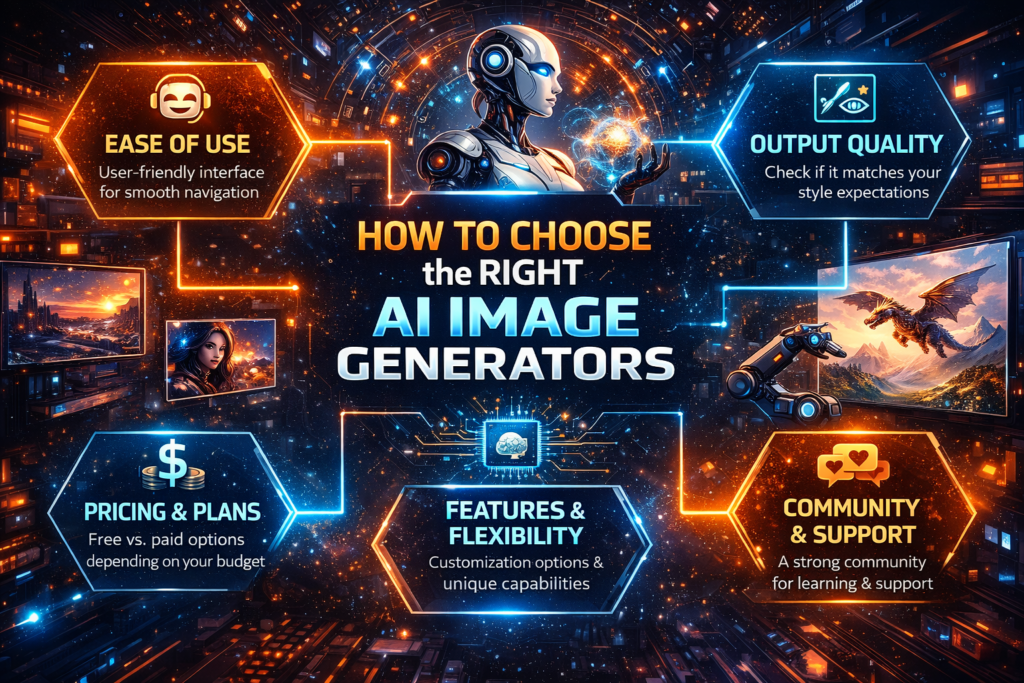
- Ease of Use
Some tools are easy for beginners, while others are designed for professionals with advanced settings. When I first started, I preferred a tool with a simple interface—no complicated menus, just a place to type my prompt and see the results. If you’re just exploring, choose a platform that won’t overwhelm you.
- Output Quality
Not all AI-generated images are created equal. Some tools excel at realistic, photographic-style visuals, while others specialize in abstract or artistic creations. Ask yourself: Do you need something highly realistic, or are you looking for creative, stylized art? Understanding this will help narrow down your options.
- Pricing and Plans
Some AI image generators are completely free, while others have subscription models. In my experience, free tools are great for casual projects, but if you need high-resolution images or commercial usage rights, a paid plan might be worthwhile. The key is to balance your budget with your needs.
- Features and Flexibility
Look for tools that allow you to experiment with prompts, styles, and customization options. Personally, I prefer platforms where I can adjust details like lighting, mood, and colors—it makes the images feel more “mine” rather than just AI-generated.
- Community and Support
A strong user community or responsive support can make a huge difference. I’ve learned a lot from other users’ tips and prompt ideas, and some tools even offer tutorials to help you get better results.
Choosing the right AI image generator isn’t just about the flashiest features—it’s about finding a tool that fits your workflow, style, and goals. And once you understand these things, exploring the 10 best AI image generators of 2026 becomes much easier and more enjoyable.
4. The 10 Best AI Image Generators in 2026
By now, you probably want to know which tools actually stand out. After testing several platforms myself, I’ve curated a list of the 10 best AI image generators in 2026. These tools vary in style, features, and user-friendliness, so there’s something for everyone—whether you’re a designer, marketer, or hobbyist.
1. DALL E 3
Features:
Text-to-image AI with high-quality outputs
Style variations and prompt guidance
Easy integration with other apps
Pros:
fast generation
Realistic and creative visuals
Beginner-friendly interface
Cons:
Some features require subscription
May need prompt tweaking for perfection
Use Case: Social media graphics, marketing visuals, concept art.
Personal Tip: I love using DALL E 3 for quick mockups. A simple descriptive prompt often creates multiple high-quality options in seconds.
2. MidJourney
Features:
Artistic and cinematic styles
Customizable resolution and aspect ratios
Community-driven inspiration library
Pros:
Stunning artistic visuals
Great for unique, creative projects
Large active user community
Cons:
Slight learning curve in prompt crafting
The free plan has limitations
Use Case: Digital art, illustrations, NFT concepts.
Personal Tip: If you want highly stylized images, MidJourney is my go-to. Don’t hesitate to experiment with abstract prompts—results can be unexpectedly amazing.
3. Leonardo AI
Features:
Multi-style support: realistic, fantasy, sci-fi
Customizable templates and assets
Collaboration features for teams
Pros:
Professional-grade outputs
Flexible for multiple industries
Good for both beginners and pros
Cons:
Can be slower on complex prompts
Some advanced features behind a paywall.
Use Case: Game design, concept art, marketing visuals.
Personal Tip: I use Leonardo AI when I need layered, detailed artwork—it handles complexity very well.
4. Runway AI
Features:
Video and image generation
Background removal & editing tools
Creative collaboration workspace
Pros:
All-in-one creative suite
Supports video-based AI content
Intuitive interface
Cons:
Some features are subscription-only
Requires decent internet speed
Use Case: Social media content, video thumbnails, creative ads.
Personal Tip: Runway AI is perfect for mixed media projects—I’ve combined video clips and AI-generated images seamlessly.
5. NightCafe Studio
Features:
Multiple AI art styles
Community challenges and inspiration
Print-ready image support
Pros:
Fun and easy to use
Large library of styles
Active community engagement
Cons:
The free version limited in credits
Some styles may need experimentation
Use Case: Digital art, creative prints, social media visuals.
Personal Tip: I enjoy the community challenges—they push me to create images I wouldn’t have imagined.
6. artbreeder
Features:
Morphing and evolving images
Blend multiple images
Character design focused
Pros:
Great for character concepts
High level of customization
Free version available
Cons:
Limited style variety
Can feel slow for high-res outputs
Use Case: Character art, portraits, concept sketches.
Personal Tip: I often use Artbreeder for character prototypes—blending features is surprisingly intuitive.
7. Fotor AI
Features:
AI image generation and photo editing
Style transfer and effects
Simple UI
Pros:
Beginner-friendly
quick results
Free plan accessible
Cons:
Some advanced tools are paid
Output may need touch-ups
Use Case: Marketing visuals, posters, social media posts.
Personal Tip: Fotor is my go-to for fast social media graphics—minimal learning curve, solid results.
8. DeepAI
Features:
AI image generation from text
Free API access for developers
Supports experimental art styles
Pros:
Easy for experimentation
Free options available
Developer-friendly
Cons:
Style options are limited
Outputs may require refinement
Use Case: Prototyping, experimental AI art.
Personal Tip: I like testing unusual prompts here—it’s a playground for creativity.
9. jasper art
Features:
AI-powered text-to-image generator
Integrated with Jasper AI content suite
Supports commercial usage
Pros:
Professional content workflow integration
High-quality images
Easy for marketers and bloggers
Cons:
Requires Jasper subscription
Somewhat limited style library
Use Case: Blog visuals, marketing campaigns, and brand graphics.
Personal Tip: Jasper Art is perfect if you already use Jasper for content—seamless workflow.
10. pixray
Features:
Text-to-image with style parameters
AI image refinement tools
Highly customizable prompts
Pros:
Great for experimentation
Unique artistic outputs
Open-ended creativity
Cons:
The interface can feel technical
Needs trial and error for best results
Use Case: Digital art, surreal visuals, creative experiments.
Personal Tip: I love Pixray for abstract projects—sometimes the weirdest prompts give the most exciting results.
5. Tips for Getting the Best Results from AI Image Generators
Using the top 10 AI image generators of 2026 is exciting, but if you want truly stunning results, knowing a few insider tips helps. I’ve spent considerable time experimenting with these tools, and here’s what I’ve learned—simple strategies that will make your images look professional and original.
- Be Specific with Your Prompts
Vague prompts usually yield generic results. I’ve found that the more detail I provide—including style, colors, mood, and specific details—the better the output. For example: Instead of typing “sunset city,” try “futuristic city skyline at sunset, neon lights reflecting on the water, cinematic style.” These small tweaks can make a huge difference.
- Experiment with Multiple Tools
Each AI generator has its strengths. Sometimes I start with DALL·E 3 for realistic visuals, then refine the style in MidJourney. Creatively combining multiple tools often yields results I couldn’t achieve with just one. Think of it like mixing ingredients to perfect a recipe.
- Use Reference Images Whenever Possible
Many AI image generators allow you to upload references. This is especially useful when you want consistency in style or specific elements in your images. I’ve found that combining text prompts with reference images often produces the most polished and unique results.
- Don’t Rely Solely on AI
Here’s a truth from my own experience: AI is powerful, but it’s not perfect. Sometimes the composition is slightly off, or the details don’t quite match your vision. That’s where human creativity comes in. Use AI as a starting point, then refine, edit, or combine the outputs to truly make them your own. 5. Learn from the Community
Many AI platforms have active communities where users share prompts, techniques, and results. I’ve learned some of my best tricks simply by observing how others craft their prompts. Don’t underestimate the value of learning from fellow creators—it can save time and inspire new ideas.
- Balance Speed and Quality
It’s tempting to generate many images quickly, but sometimes slowing down and refining your prompts yields better quality. My personal rule: spend a few extra minutes crafting your prompts—it often saves time on editing later.
6. Common Mistakes to Avoid When Using AI Image Generators
Even though the 10 best AI image generators in 2026 are incredibly powerful, I’ve seen many people—including myself in the beginning—make avoidable mistakes. These errors can lead to wasted time, generic images, or frustration. Here’s what to watch out for:
- Being Too Vague with Prompts
One of the most common mistakes is typing a short or unclear prompt. I’ve learned that vague prompts usually produce generic or unexpected results. Always describe the scene, style, mood, and any specific details you want—it saves time and ensures better outputs.
- Blindly Trusting AI Output
AI is smart, but it’s not perfect. Sometimes it misinterprets your idea or generates errors in composition. I remember generating a “futuristic cityscape” that looked more like a cartoon disaster! Always review and tweak AI-generated images before using them publicly.
- Over-Automation Without Human Touch
Relying entirely on AI without adding your own creativity can make images look artificial or repetitive. From my experience, the best results come when you combine AI speed with your own artistic judgment — adjust colors, refine details, or combine outputs for uniqueness.
- Ignoring Copyright & Usage Rules
Some beginners assume all AI-generated images are free to use commercially. Not true. Each platform has specific guidelines for commercial use. I always check terms before using any AI image in client projects or marketing campaigns—it prevents legal issues down the line.
- Not Experimenting Enough
Another mistake I often see is giving up too soon. AI image generators are powerful tools, but they require experimentation. Changing one word, trying a different style, or switching tools can completely transform results. Persistence pays off.
- Focusing Only on Free Tools
While free AI generators are great for practice, relying solely on them can limit your output quality. I personally mix free tools with paid ones for high-resolution images or specific styles — this balance has helped me create professional-grade visuals consistently.
7. AI Image Generators and Future Trends
As we move towards 2026, the world of AI-generated visuals is evolving faster than we could have imagined. After extensively using the top 10 AI image generators of 2026, I can confidently say: the future isn’t just about generating images faster — it’s about smarter, more creative collaboration between humans and AI.
- AI is getting smarter every year
AI models are constantly improving. Today, they can create incredibly realistic portraits, cinematic landscapes, or abstract art with stunning detail. Tomorrow, they might even anticipate your style or composition based on your past creations. In my experience, the tools are becoming less about trial-and-error and more about intuitive creativity.
- Human creativity will remain key
No matter how advanced AI becomes, human imagination will always guide the way. I’ve found that the most stunning AI creations happen when I combine my ideas, experiences, and vision with the speed of AI. That’s why, in the future, those who creatively adapt and collaborate with AI will stand out.
- Integration with other technologies
AI image generators aren’t operating in isolation. In 2026, we’re seeing more tools integrating with AR, VR, video editing, and even e-commerce platforms. Imagine instantly generating product visuals for an online store or designing virtual environments for games in minutes. The possibilities are endless — and I’ve personally started experimenting with incorporating AI visuals into video projects, which is a game-changer.
- More personalized AI tools
Future AI platforms will likely offer personalization based on your style, industry, or project type. These tools can “learn” your preferences and suggest visuals that match your brand or creative tone. This excites me because it seems like AI is becoming not just a tool, but a true creative partner.
8. Conclusion
Exploring the 10 best AI image generators in 2026 has shown me how far creativity and technology have come. These tools are no longer just novelties — they are practical, time-saving, and surprisingly fun assistants for anyone looking to bring ideas to life. But here’s the important part: AI is not a replacement for human creativity. It’s a partner that amplifies your vision, helping you work faster while leaving the imaginative decisions in your hands.
From my personal experience, the best results come when you combine your ideas with AI’s speed. A simple prompt can spark endless possibilities, but the magic happens when you tweak, experiment, and refine the output yourself. That’s where originality and uniqueness truly shine.
Looking ahead, AI image generators will only get smarter, faster, and more integrated into our creative workflows. Whether you’re a designer, marketer, hobbyist, or content creator, learning to collaborate with these tools is becoming essential. And honestly, it’s exciting — the only limit now is your imagination.
So, start experimenting, try different styles, mix tools, and don’t be afraid to get creative. The 10 best AI image generators in 2026 are here to help you explore, innovate, and create visuals you never thought possible. Remember: AI is your assistant, not your replacement — your creativity will always be the driving force.
Final Thought: Your ideas, combined with AI’s speed, can produce extraordinary results. Dive in, experiment, and let your imagination run wild.